01
Organise.
Bring your assets and playlists together.
YOUR CONTENT. OUT IN THE WORLD.
Organise content, publish playlists and keep your display network in view. Give every screen in your business something worth seeing.
Salon & hairServices, style & inspiration
YOUR CONTENT. A CLEAR WAY FORWARD.
A window that starts a conversation. A shop floor that tells your story. A menu that makes the next choice easy. Give each screen a purpose, then manage the work behind it.
Bring your assets and playlists together.
Choose what plays for each location and audience.
Send content from one workspace, with control.
Keep connectivity and device information in sight.
DIFFERENT SPACES. REAL POSSIBILITIES.
Use content that belongs in your world. These four settings show the possibilities, from a local business to a wider display network.
 01 / SALONS & SERVICE BUSINESSESILLUSTRATIVE SETTING
Bring services, seasonal offers and your brand story into the space where customers get to know you.
 02 / ESTATE AGENCIESILLUSTRATIVE SETTING
Put property photography, listing highlights and agency content in front of people passing your window or visiting your branch.
 03 / FASHION & RETAILILLUSTRATIVE SETTING
Give campaigns, new arrivals and product stories a presence on the shop floor. Plan content for the audience in each location.
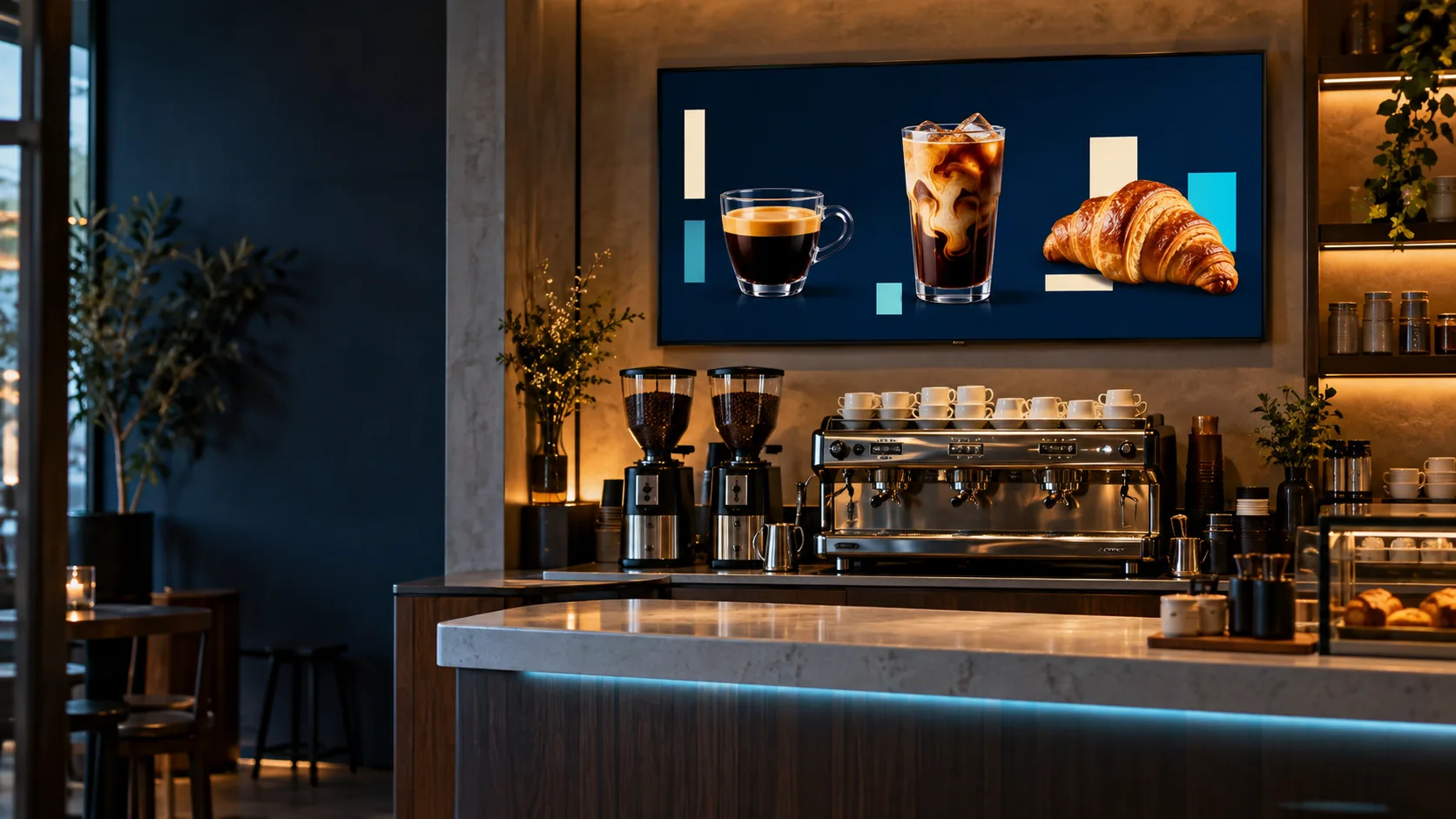 04 / CAFÉS & COFFEE SHOPSILLUSTRATIVE SETTING
Make your menu, food photography and latest promotions part of the everyday counter experience.
BEHIND EVERY GOOD DISPLAY
From the assets in your library to the screens in your network, keep the practical work in view. Six focused capabilities support the way you organise, publish and operate.
Keep assets and playlists together so the right content is easy to find.
Build playlists and schedules for your screens, locations and audiences.
Manage publishing from one workspace and keep track of the content you send.
Review screen connectivity and device information in a central view.
Use available playback reporting to understand delivery across your network.
See the tools for deployment, monitoring and operational support.
START WITH THE SETUP YOU NEED
Your first screen deserves a clear plan. So does your next location. Start with a demonstration built around the hardware, content and operating requirements you want to discuss.
Plan your screen setupDiscuss your displays, players and locations before agreeing the deployment.
Explore device informationBring your content needs, playlists and intended audiences into the conversation.
Review publishing, network visibility, available reporting and operational requirements.
Screen and player fit, deployment details and available playback reporting depend on your setup. We’ll discuss those requirements with you.
LET’S MAKE IT CLEAR
Tell us about the spaces, screens and content you have in mind.
Talk to us about ScreensYes. Whether you’re exploring your first display or planning a larger rollout, start with a demonstration of the setup you need. We’ll discuss hardware, content and operating requirements.
Keep your assets and playlists together, then build playlists and schedules around your screens, locations and audiences. Manage publishing from one workspace and keep track of the content you send.
We discuss your hardware and operating requirements before agreeing the setup. Screen and player fit depend on your deployment; the device information page is a useful starting point for that conversation.
Review screen connectivity and device information in a central view. Available playback reporting can help you understand delivery across your network; the reporting available depends on your setup.
Explore the screen plans, then tell us about your displays, locations, content and operating requirements. We’ll use that conversation to demonstrate the setup that fits your needs.
YOUR NEXT MESSAGE DESERVES A MOMENT.
See how VCMP Screens could work for your business.
Help us improve VCMP
We use optional analytics cookies to understand which pages people visit and how they discover VCMP. We do not use these analytics cookies unless you accept them.
Read our privacy policy